

Kundendienst
0
Schließen
Thijs Michel - Donnerstag 15 Januar 2026

10 Frequently Asked Questions about the BirdWeather PUC!

Want to record bird sounds, conduct nature observations, and get the most out of your BirdWeather PUC? This comprehensive blog post answers the 10 most frequently asked questions about this versatile device. From installation and Wi-Fi settings to power supply and reliability, everything is explained step by step. We also cover useful accessories, mobile applications, and tips for safe use, so you can optimally use your PUC at home, on the go, or for professional research. Whether you're a novice nature enthusiast or an experienced researcher, this comprehensive FAQ will help you get the most out of your BirdWeather PUC.

How do I set up the BirdWeather PUC?
Once connected, the PUC is ready to record bird sounds and wildlife sightings, while the app displays your location until the PUC's GPS signal is established.
 
To install your BirdWeather PUC, start by connecting it to a power source using a USB-C cable or three AA batteries. Then, download the BirdWeather app from the iOS App Store or Google Play Store and initiate setup via "Setup my PUC." Ensure your mobile device is within range of the PUC and connected to Wi-Fi. Turn on the PUC by holding the button until the LED turns green, and activate setup mode by double-clicking until it flashes blue. Then, select your Wi-Fi network (only 2.4 GHz is supported) and enter the password. For reliable measurements and a long lifespan of your PUC, we recommend placing it in the shade, out of direct sunlight and strong winds, at a stable height, and with a clear view of the surroundings. Once connected, the PUC can begin recording bird sounds and wildlife sightings, while the app displays your location until the PUC's GPS signal is established.
 
Still having trouble installing? This page contains an English installation guide with images.
How can I use my PUC?
The BirdWeather PUC is versatile, meaning you can use it in various ways. You can use it in your backyard, as a mobile station while traveling, or as a research or habitat monitoring device. These three uses are briefly explained below.
 
Backyard Sound Station: The BirdWeather PUC easily connects to your Wi-Fi network, allowing you to continuously monitor bird and nature sounds in your backyard. The device automatically recognizes all sightings and uploads them to your BirdWeather account in real time. This way, you always know which birds are singing or flying, even when you're not nearby. Ideal for nature lovers and bird researchers who want daily insights into their backyard.
 
Mobile Station on the Go: Thanks to its compact design and built-in 32GB microSD card, you can take the BirdWeather PUC anywhere: on hikes, bike rides, or other outdoor activities. All sounds are stored locally and automatically uploaded as soon as an internet connection is available. So you'll never miss a sound or bird sighting, wherever you are.
 
Research/Habitat Monitoring: The PUC is perfect for scientific research or long-term monitoring of bird populations and habitats. With multiple power options, such as batteries, USB-C, or power banks, the device can remain operational in the field for extended periods. All data is stored on the microSD card in CSV format, making it easy to import for analysis. You can also use a mobile hotspot for continuous live data, ideal for professional monitoring projects or academic research.
 
In short: the BirdWeather PUC is versatile: from garden monitoring and mobile use to extensive field research. Thanks to automatic detection, real-time uploads, and reliable storage, it's the ideal tool for collecting and analyzing bird sounds and nature data.
Which accessories are available for the BirdWeather PUC and what are they intended for?
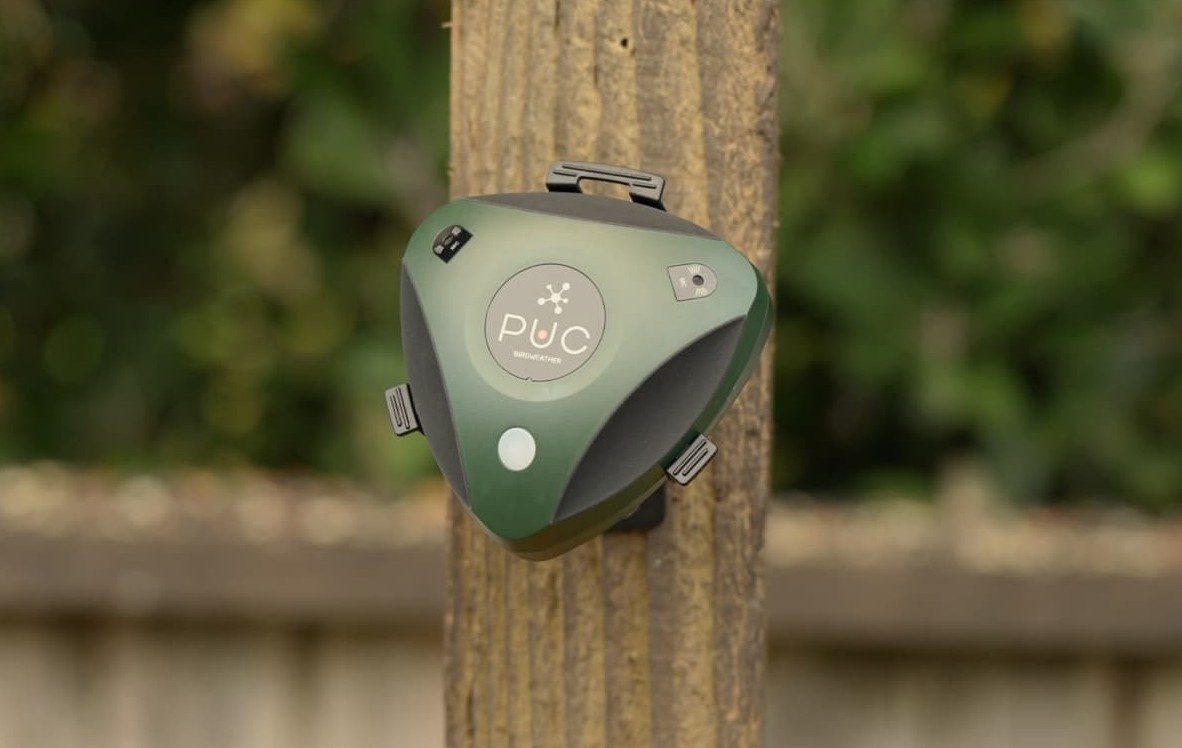
Several accessories are available for the BirdWeather PUC to make it easier, safer, and more flexible to use. The PUC House protects the PUC from rain, wind, and dirt during outdoor use. The Tripod allows you to position the PUC stably on various surfaces.The Backpack and Clip-On are ideal for mobile use, for example, during hikes or field research. There's also a Blink adapter (not from BirdWeather itself) that provides the PUC with continuous power and is more moisture-resistant. This allows you to perfectly tailor the PUC to your specific needs.
 
Not sure about a specific accessory? See the selection guide below.
 
Do you primarily use the PUC outdoors in one fixed location?
→ PUC House + Tripod + Blink Adapter
 
Want to record for extended periods without power interruptions?
→ Blink adapter (possibly combined with the PUC House). The Blink adapter doesn't fit through the cutouts in the PUC House. If you want to combine both, the cable must be routed in front of the House. The Blink adapter is only visible on the website when it's in stock.
 
Do you use the PUC on the go or in multiple locations?
→ Backpack + Clip-On
 
Are you primarily looking for protection against weather and dirt?
→ PUC House (+ optional Blink adapter)
 
Do you want maximum flexibility (fixed and mobile)?
→ Tripod + PUC House for fixed locations
→ Backpack + Clip-On for mobile use
 
Note! The Clip-On is always included as standard with the PUC. However, you can order an extra one through the website.
I want to mount my PUC outdoors. Is it waterproof?
If your PUC is located in a location subject to heavy rainfall, it's best to mount it vertically rather than horizontally. Mounting the PUC this way prevents water from entering the microphone ports. Vertical placement reduces the microphones' sensitivity.
 
If you plan to power the device via the USB-C port, here's some information. The PUC comes with a bag containing rubber o-rings and rubber plugs (and spares in case you lose one). If a USB-C cable isn't connected, it's recommended to leave the port connected when using the device outdoors with a rubber plug to keep the port clean. The plug is waterproof, so it's resistant to moisture. Note: It's not mud-resistant. The included o-rings can be used to seal the USB-C cable in the PUC's USB-C port. 
 
Make sure the USB-C connector is connected, or, if you're using a USB-C cable, that there's little to no space between the cable and the PUC. If you're using AA batteries to power the PUC, you can put them aside. 
 
If you're powering your PUC via the USB-C cable, it's best to point the PUC downward. This helps drain water away from the USB-C port. However, this will cause the PUC logo to be upside down.
I want to take the PUC with me on my hike or walk. How does that work?
If you want to use your PUC offline, for example, during a walk, there are two options: use the PUC offline (via the SD card) or via a mobile WiFi hotspot. The explanation for both options is below.
 
Offline (via SD card): First, turn off the PUC (hold the button down until it turns red). When you want to start your walk or hike, turn the device back on (hold the button until it turns green). To use offline mode, click the button when you see the blue "WiFi searching/circling" pattern. This will let the PUC know that this is the intended mode (also for future power outages, for example). From now on, the device will record audio via the SD card. Once your hike or walk is over, don't forget to turn off the PUC. When you're home and within WiFi range, turn the device back on. Now you can upload the data from the mobile app (PUC > SD Card > Upload Soundscapes).
 
Mobile WiFi Hotspot: Return the PUC to WiFi setup mode by double-clicking the button on top of the PUC. Once it flashes continuously blue, go to the bottom of the mobile app's settings page and click "Setup my PUC." The hotspot will be displayed there. Enter the hotspot password, and the device is ready to use. Have you returned home? Then it's important to repeat this entire process so the PUC can connect to your home network again. The device doesn't automatically remember your home network.
 
Are you using an iPhone? This process can sometimes be difficult. The iPhone prefers to use other Apple devices. See below for the procedure for iPhones:
1 - Launch the BirdWeather app
2 - Go through my mobile hotspot (PUC) settings - the first scan will show networks (the iPhone's hotspot is missing)
3 - Go to the hotspot settings (but don't close the BirdWeather app)
4 - Disable both 'Allow Others to Join' and 'Maximize Compatibility'
5 - Enable 'Maximize Compatibility'
6 - Enable 'Allow Others to Join'
7 - Return to the BirdWeather app and click 'Refresh' - hopefully, it will now appear
How do I power the BirdWeather PUC (batteries, USB-C, power bank, or solar panel)?
The PUC can be powered in several ways. Each option is briefly explained below.
 
Batteries: The PUC works with almost all AA batteries (alkaline, lithium, and lithium-ion). We recommend using Lithium-ion rechargeable batteries. These batteries are reliable and do not leak during prolonged use. Alkaline batteries may leak during prolonged use, and NiMH batteries are not recommended due to their low voltage. 
 
Caution! Rechargeable batteries should not be charged while in the PUC. This may cause leakage or malfunction.
 
USB-C adapters: You can power the PUC via the USB-C port, but it does not charge batteries. Use a modern USB-C cable and the included o-rings for waterproof connections. Please note that not all USB-C adapters are suitable for long-term use while using the PUC's power supply.
 
Power banks: The PUC works with virtually all USB-A or USB-C power banks that provide at least 5V and 1W. Some power banks automatically switch off when power consumption is low. In that case, the Power Bank mode in the settings can help. If you use the device outdoors, waterproof power banks are obviously best.
 
Solar panels: The PUC can be powered by small USB solar panels with a built-in battery. Choose a model that provides at least 3W to 5W and is waterproof. This way, you can use your PUC outdoors for extended periods without constantly having to replace the batteries.
 
Tip: It's safe to use the PUC via USB-C with batteries installed. This way, you always have a power backup and maximum flexibility for mobile or extended use!
When exactly does the PUC record sound?
The PUC has several modes you can configure. There's a Continuous mode and a Smart/Scheduled mode. The PUC only triggers when sound is detected; the modes don't affect this. You can, however, choose when and how long the sounds are recorded. Continuous mode keeps the PUC recording as long as the sound is present. This "Recording Time" is set to 9 seconds by default, but this can be adjusted to your preference. Continuous mode means the PUC searches for sound every hour of the day and night. Smart mode or Scheduled mode allows you to record sounds within a specific timeframe. For example, if you only want to record sounds between midnight and 8:00 AM, you can configure this with Scheduled mode. This mode also allows you to select a specific "Recording Time."
How reliable is the BirdWeather PUC?
The BirdWeather PUC uses BirdNET, an advanced AI system that automatically recognizes and classifies bird sounds. The system can distinguish more than 6,000 bird species worldwide and actively filters out disruptive sounds, such as human voices, engines, fireworks, or other human sources, ensuring only relevant natural and bird sounds are processed. Non-bird sounds, such as coyotes, dogs, squirrels, frogs, and insects, are also recognized and processed separately, ensuring the data remains reliable and accurate.
 
To increase the accuracy of observations, BirdNET uses two key indicators: Probability, based on historical eBird data for your location and season, and Confidence, the AI's level of certainty that a sighting is accurate. Both values ​​can be dynamically adjusted to filter your detections, ensuring that even rare species are visible. Misidentifications are rare but can be easily removed by long-pressing an incorrect detection or using the menu in the spectrogram. Missing detections can often be resolved by adjusting the Probability setting or by checking that "Upload Audio to BirdWeather" is enabled.
 
In addition to bird sightings, the PUC also records environmental data such as temperature, humidity, and air quality. Any discrepancies can be caused by direct sunlight or limited airflow in the enclosure, but can be corrected with sensor calibrations or by placing the PUC in the shade. GPS settings (Low-Power, Continuous, or Static) provide accurate location data. Thanks to these features, the BirdWeather PUC offers a reliable and versatile solution for garden monitoring, mobile use on the go, and professional research or habitat monitoring.
 
Privacy
 
The BirdWeather PUC prioritizes privacy. All recordings containing human voices are automatically deleted, ensuring only natural sounds are stored and analyzed. You can also temporarily or permanently disable server uploads at any time via the BirdWeather mobile app. This setting takes effect immediately and gives you complete control over which data is shared.
How does the PUC store my recordings?
There's a difference between recordings made with a Wi-Fi connection and recordings made without a Wi-Fi connection. 
 
Recordings made without a Wi-Fi connection contain a significant number of FLAC files. These are audio recordings made by the PUC. FLAC files are audio files that require less memory than standard files. There is also a .csv file. This contains information such as the filename of the audio recordings, GPS locations, and sensor data. 
 
When recording via Wi-Fi, the audio and associated data are sent directly to the server over the network. The SD card is primarily used as temporary storage or a buffer. Any audio files (e.g., FLAC files) and data are automatically deleted or overwritten after successful upload. As a result, the SD card usually contains no or only a few temporary audio files and limited log or status files..
 
Want to view the contents of your microSD card? You can use a microSD card reader or adapter to read the card's contents.
Can I add another SD card to my PUC?
The PUC always comes standard with a 32GB microSD card. This is located in the battery compartment. To remove this SD card, slide the cover down. The SD card will then flip up. It is recommended to handle the SD card and insert/remove it carefully.
 
You can safely use a blank SD card if you want to store several weeks' worth of recordings. You're not limited to the SD card that's already installed. With the PUC's default settings, the SD card fills up an average of 2GB per day. The standard 32GB built-in SD card should be sufficient for several weeks.


The BirdWeather PUC makes it easy to capture bird sounds and nature observations, whether at home or on the go. It offers reliable AI detection, flexible storage options, and protection against weather and dirt. By using the right settings and accessories, you'll get the most out of every recording. This makes nature observation easy, fun, and professional.

Recente artikelen